INSTALLER / UNAVAILABLE
Installer signature
No installer is published, so no publisher, signature, or SHA is presented as verified.
Loading
Content is on the way. Loading never scans the PC or applies a change.
Built for gamers. Designed around control.
Boostio gathers supported checks from a gaming PC, explains the findings, and shows a plan before a supported Windows change.
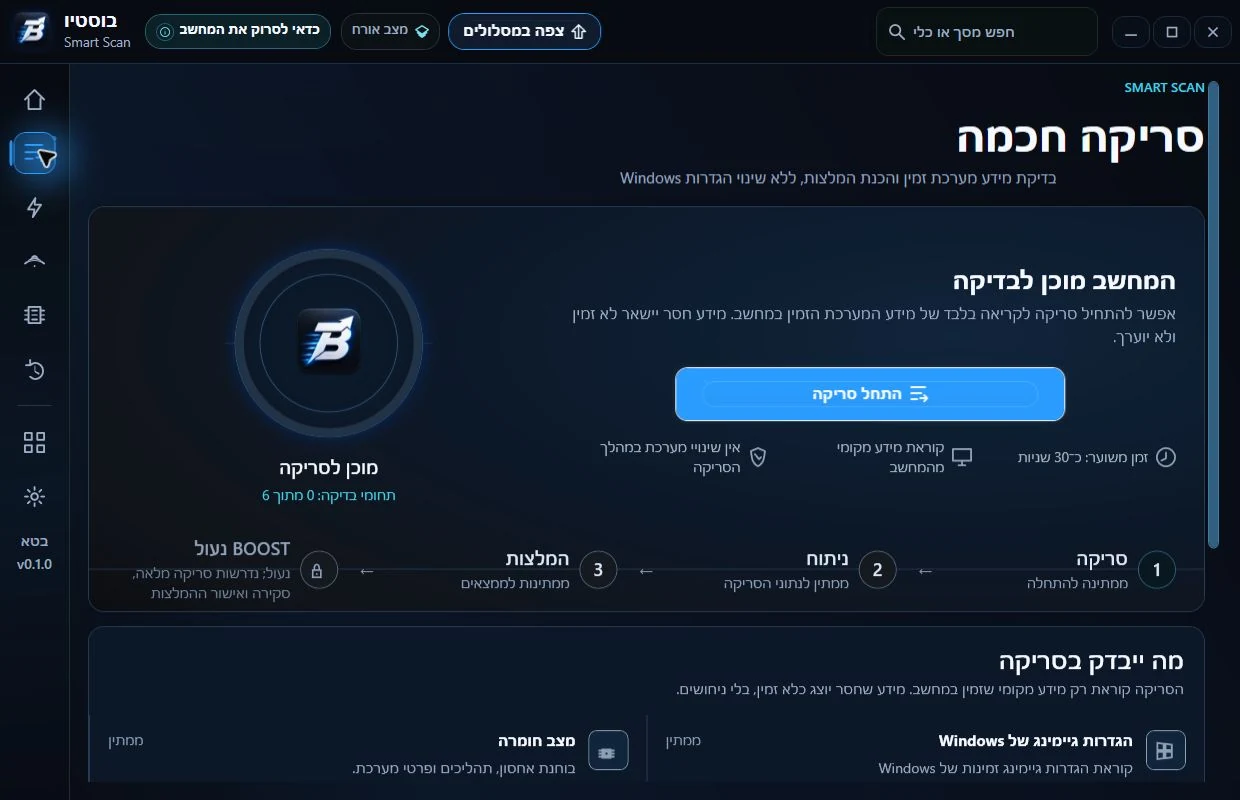
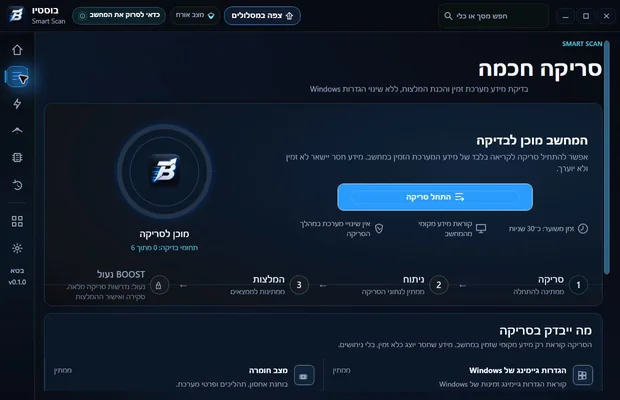
A prior-beta capture, not proof of the current build.
Trust evidence
INSTALLER / UNAVAILABLE
No installer is published, so no publisher, signature, or SHA is presented as verified.
POLICY / REVIEW
Local processing and restore are documented product boundaries; the public policy remains a draft until owner approval.
BENCHMARKS / UNAVAILABLE
No FPS, ping, or user counts appear without a reviewable configuration, date, and methodology.
REVIEWS / UNAVAILABLE
No reviews, names, photos, or logos are currently approved for publication.
Results and metrics
Before-and-after results require hardware, game, scenario, date, and methodology. Existing beta captures are not benchmarks.
Measurement protocolData unavailable
The comparison system is ready, but it shows no number until hardware, game, scenario, date, and methodology are attached.
7 steps
Read-only collection, including partial results when a check is unavailable.
What was found, its source, and the boundary of confidence.
Separate recommendations into small, reviewable actions.
Explicit approval before every supported action.
Only after support, permission, and safety gates pass.
Read the state back instead of trusting an exit code.
Shown only when an exact, proven Restore path exists.
Browser walkthrough
A walkthrough of the experience only. The browser cannot access Windows and performs no optimization.
Step 1 of 3
Collect supported local information in read-only mode.
Step 2 of 3
See the findings and plan before a supported Windows change.
Step 3 of 3
Only explicit approval can allow a supported action. The current Real path is limited to a Power Plan change when every gate passes; other actions may be dry run or blocked.
HistoricalLive · 28 August 2026
Real captures from a prior beta. They can be enlarged, but do not prove the current build or action availability.
From checks to a clear picture
Windows scatters settings and diagnostics across many screens. Boostio gathers supported findings and marks what is available, what needs approval, and what is blocked.
A read-only scan that collects system findings before any recommendation. A historical beta capture exists, but it does not prove availability in the current build.
The BOOST path is not presented as active. Real execution is allowed only when every safety, permission, and verification gate passes.
Focused checks and recommendations for supported settings, keeping advice separate from an actual change.
An explicit profile for each game instead of applying one global assumption to the PC.
A temporary gaming session mode with clear start, finish, and restore boundaries.
Measurements with a source, unit, and timestamp instead of context-free marketing numbers.
Game catalog
Empty state
Search and filtering stay locked so no game appears supported without a documented test.
Controls are disabled until a verified game catalog is published.
Safety and transparency
Boostio separates scanning, recommendations, supported changes, and proof of outcome.
A supported Windows change starts only after review and explicit approval.
A supported path stores local evidence and reads the result back.
No promised FPS, Ping, or improvement percentage.
What to know
Plans and pricing
Subscriptions are not open yet
Price and trial details will be shown when the plan is verified and available to join.
Plan and subscription detailsFrequently asked questions
There is no FPS guarantee. Results depend on hardware, the game, drivers, and settings; future numbers require a published method.
The model separates scan, plan, approval, execution, and verification. An action runs only on a supported path that passes every safety gate.
Only when a proven Restore path exists. The exact documented path is currently limited to a supported Power Plan change.
No. It can show information and open an official source, but it never installs drivers automatically.
Core scans, reports, and logs are described as local. Network services run only when used.
There is no verified public game catalog yet. A supported badge requires a documented test.
The closed-beta target policy is Windows 11 24H2/25H2 Home/Pro x64.
A scan is not presented as a change. A supported action may request access only after plan review and approval.
When commerce is locked there is no public subscription. If checkout is active, the cancellation route and renewal terms come from the same verified catalog.
The cancellation page records the current commerce state and links an approved policy only when the catalog and checkout gates are active.
Pre-launch
Want to ask about the closed beta or follow the launch? Contact us. There is no public download, checkout, or trial yet.